Run the whole term from one place.
One term, start to finish
- Set up the session, three terms, classes and subjects
- Teachers enter scores and ratings for their own class
- The bursar records every payment and issues a receipt
- The proprietress or admin reviews comments and publishes results
- Parents open the report card with their own access code
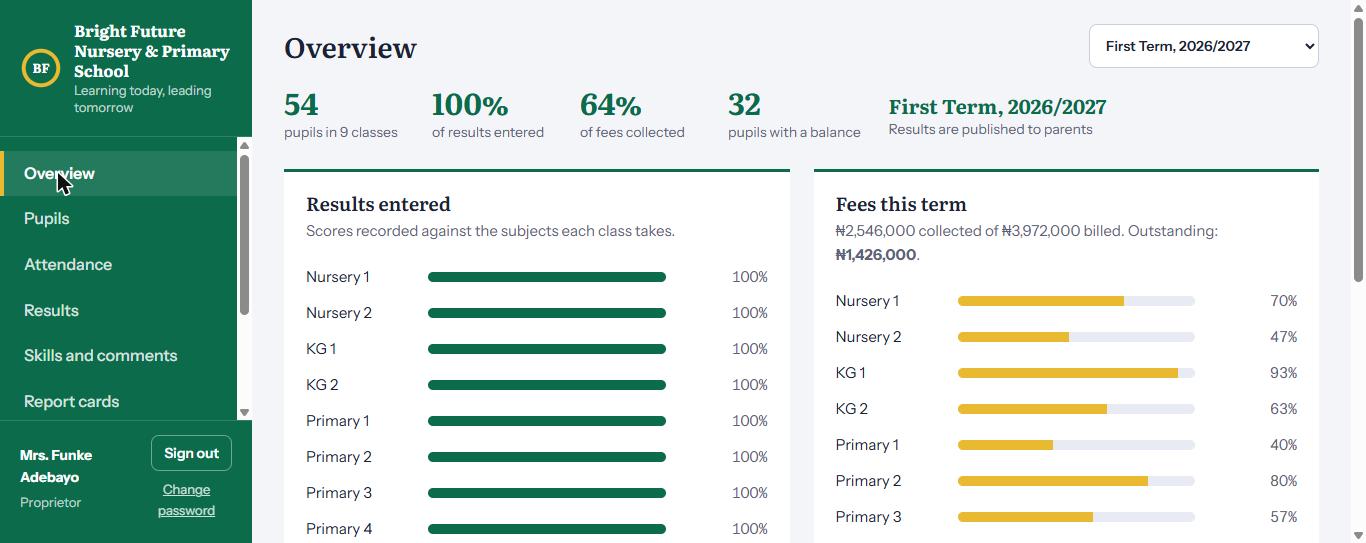
This is the software itself.
End of term should not be the hardest week of the year.
Scores typed more than once
Totals and positions by hand
Fee balances nobody can confirm
The same questions from parents
Everything a pre-school, nursery and primary school runs on, in one system.
Results and report cards
Fees and receipts
Attendance
Parent portal
Pupils and parents
Staff and roles
Early years and primary are marked differently, so the system treats them differently.
Creche, nursery and KG
- Skill and development sheets, with each indicator rated from 1 to 5
- Sections for skills, psychomotor and affective areas, set for each class and term
- An overall percentage, with no class position
- Class teacher and head teacher comments on every report
Primary
- CA, attendance and exam marks, each with a maximum your school sets
- Class position shown or hidden, as your school prefers
- Subjects set for each level, with the ones you do not teach switched off
- Totals and positions calculated for you
What changes for each person in the school.
You see the whole school without chasing anyone. Set the session and terms, decide how marks are split, read fee balances, and publish a term’s results when you are satisfied. Parents see nothing until you publish. An admin login, which suits a headteacher or school administrator, has the same access, except that only the proprietress adds staff and assigns roles.
Record each payment as cash, transfer or POS, with a reference and the date. Receipts are numbered in sequence. A discount or waiver is recorded with its reason, so the balance still adds up. Part payments are normal, and the balance updates after each one.
Enter CA and exam marks for your own class, rate each child’s skills if you teach early years, mark absences and lateness, and write your comment for the report. Totals and positions are calculated for you, so there is nothing to add up.
Open the school’s portal page, type the access code and your child’s admission number, and see the report card once results are published, the current fee balance and the school’s notices. It works in the browser of any phone.
From signing up to your first term.
We set up your school
Classes and subjects are loaded
You decide how marking works
You add your staff
Pupils and parents go in
Teachers start entering marks
Your pupils' records stay with your school.
- Only the proprietress can add staff and assign roles
- Parent access codes are stored in scrambled form and cannot be read back
- After five wrong tries on one admission number, that child's page is locked for 15 minutes
- Every payment records who entered it and when
Questions schools ask first.
Pre-school/creche, nursery and primary schools. We can also customise the system and add features to suit your school.
Yes. Tell us what your school needs and we will customise the system and add features on request.
No. The portal is a web page that opens in the browser of any phone. Parents use an access code from the school and their child’s admission number.
The bursar records payments made in cash, by transfer or by POS. The system issues a numbered receipt and keeps each child’s balance current.
The report card carries your logo, name, address and colours, and follows your own CA, exam, attendance and position settings. If your school has a particular layout, tell us when you request the demo and we will say plainly what matches.
It is billed per term. Request a demo and we will send pricing for your school.
Yes. Request a demo and we will walk you through it on a call or in person.